
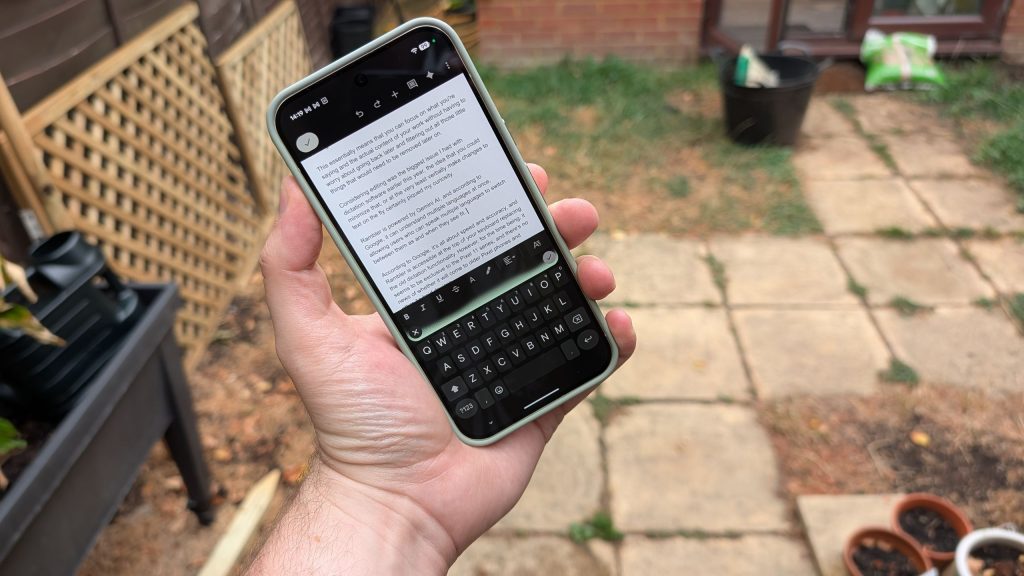
Hands-free writing sounds convenient on paper, but relying on speech recognition for long-form content often reveals unexpected friction. Testing Google’s latest voice-to-text tools highlights both the impressive advancements and recurring pitfalls of modern mobile dictation.
This hands-on review evaluates Google’s Rambler AI dictation software on the Pixel 11 series. Powered by Gemini AI, Rambler automatically filters out verbal filler, formats basic punctuation, and supports multi-language speech. However, testing shows severe limitations in hands-free editing, accent interpretation, and long-form document stability, making it ideal for brief messages rather than full articles.
How Google Rambler Voice Dictation Works
Originally unveiled during Google I/O, Rambler was designed to eliminate the anxiety of planning exact sentences before speaking. The software relies on Gemini AI natural language processing to listen to your voice and intelligently filter out filler words, such as “ums” and “ahs,” before writing text to the screen.
By automatically removing speech tics, Rambler lets speakers focus on formulating ideas instead of manually editing transcripts later. The tool also supports multi-language detection, enabling bilingual speakers to switch between spoken languages mid-sentence without changing device settings. Though introduced exclusively on the Pixel 11 line, Google plans to expand Rambler functionality to Gboard on Android, Gemini on macOS, and the desktop Chrome browser.
Hands-On Performance: Wins and Usability Hurdles
In basic dictation scenarios, Rambler demonstrates impressive accuracy. When spoken thoughts remain clear and structured, the software captures words cleanly while automatically inserting standard sentence punctuation without requiring explicit verbal commands.
However, practical usability hits a snag due to interface design choices and accent recognition. Rambler displays a small audio visualizer above the keyboard that pulses based on microphone input, but it lacks a live text preview window. Without seeing what the engine transcribed before committing it to the page, making on-the-fly corrections mid-thought becomes confusing.
Regional accents also reveal lingering voice-recognition flaws. During testing, standard terms were occasionally misinterpreted—transcribing “other” as “are there” or converting “asking of it” into “asking for it.” Additionally, specific stylistic formatting like em-dashes or exact quotation marks still requires manual verbal prompts or manual typing touch-ups.
Google Rambler Feature & Performance Overview
| Feature / Capability | Implementation Details | Performance Assessment |
|---|---|---|
| Filler Word Filtering | Gemini AI removes speech tics (ums, ahs) automatically | Highly effective; clean raw text generation |
| Automatic Punctuation | Inserts periods and commas based on natural speech pauses | Works well for basic structure; misses stylistic marks |
| Live Text Preview | Keyboard visualizer without transcription preview | Lacking; makes real-time editing difficult |
| Voice Document Editing | Spoken commands to alter or rewrite selected text | Inconsistent; prone to accidental text deletion |
| Multi-Language Support | Detects and transcribes multiple languages simultaneously | Seamless transition between supported spoken tongues |
Voice Editing Risks: Accidental Deletions and Instability
The biggest challenge during testing occurred while attempting to edit existing content via voice commands. Rambler struggled to process modification requests within large body paragraphs, periodically executing unpredictable commands that erased entire sections of text.
While cloud auto-save history allowed lost paragraphs to be restored, relying on voice editing across extended documents presents a clear risk to productivity. The absence of a pre-paste confirmation dialogue leaves long-form documents vulnerable to accidental overwrites whenever the AI misinterprets an editing command.
Final Verdict: Who Should Use Rambler?
Compared to default dictation tools found on older Gboard builds or iOS devices, Rambler represents a substantial step forward for standard speech-to-text entry. Its ability to clean up speech tics on the fly makes short-form composition significantly smoother.
Despite those gains, Rambler remains unsuited for drafting long-form articles or executing complex document revisions strictly by voice. Users drafting emails, text messages, or short notes will find it remarkably helpful, but complex writing tasks still require direct keyboard oversight.
Frequently Asked Questions
What is Google Rambler and how does it work on the Pixel 11?
Rambler is an AI-powered voice dictation feature built into the Pixel 11 series. Using Gemini AI, it transcribes natural speech while automatically removing filler words like “um” and “ah” to produce cleaner text output without requiring rigid sentence phrasing.
Can Rambler edit existing document text using voice commands?
Rambler supports voice editing commands, but performance is currently inconsistent. Attempting to modify large blocks of text can lead to command misinterpretations or accidental deletion of written paragraphs, so manual keyboard editing remains safer for complex documents.
Is Rambler dictation available on non-Pixel devices?
While Rambler debuted exclusively on the Google Pixel 11 lineup, Google has confirmed plans to roll out the dictation technology across Gboard for Android devices, Gemini on macOS, and the desktop version of Google Chrome.